|
Find Policy |
  
|
|
Find Policy |
|
Getting There
Find Policy can be accessed from Turbo Policy menu by selecting => File | Find Policy.
Description
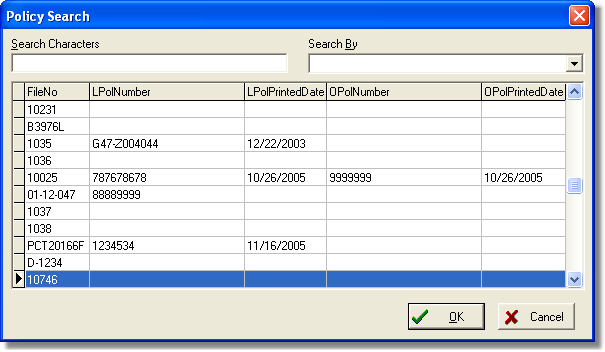
The Find Policy function of Turbo Policy allows you to locate and display/edit a policy that has previously been entered. You may search for a policy by Policy Numbers, Policy Printed dates, or File Numbers.
To Find a Policy
1. Select Find Policy from the file menu in Turbo Policy.
2. Select the desired search criteria in the Search By box.
3. Enter the Policy No., File No, or Policy printed date in the Search Characters box.
4. Click on the desired file from the list.
5. Click the OK button.
Related Topics