|
Document Templates |
  
|
|
Document Templates |
|
Getting There
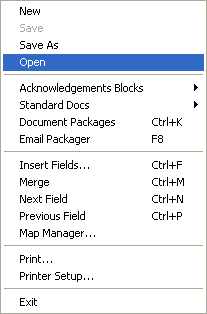
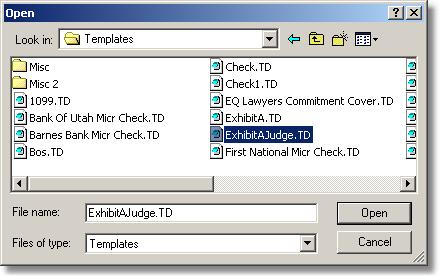
Document Templates can be accessed from the Doc Designer menu. Select => Design | Open. The open window should default to your Turbo Title Templates directory where you can select the template you wish to work on.
Description
Using Document Designer, document templates with merge fields may be designed. A document template is a document "skeleton" with merge fields that when merged creates a final document with information incorporated from a selected order.
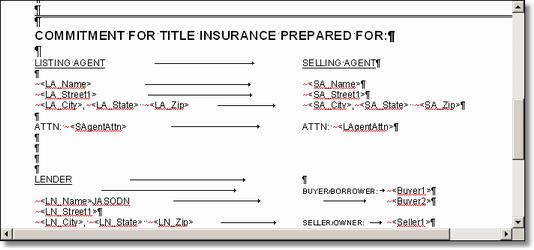
Hints on Creating Templates
| * | Templates should be created and saved in Document Designer but accessed from Document Prep. This will prevent saved templates from being incorrectly edited or erased. |
* Indents or margins should be set and used when creating templates to ensure correct placement and wrapping of text when the document is merged. This will ensure that final documents will take on the final appearance as shown from the template. Indents should be set using the Sliding Indent Pointers found initially on the far right and left sides of the ruler.
| * | Tabs are also very useful in creating Templates and should not be overlooked. For some templates, tabs should be used together with indents to ensure a professional looking finish. |
| * | If the space bar is used to space between sections on a line of text, alignment on the final document will not necessarily reflect that of the template. Use margins and indents when possible. |