|
Services Setup |
  
|
|
Services Setup |
|
Getting There
Services Setup can be accessed from the main Invoice List screen by selecting => Setup | Services Setup.
Description
Services Setup will allow you to add New Services within Turbo Title for Windows. You have the option of adding Service Code, Service Description, Draw From, Amount, Draw Amount From and GL Account.
To add a new service simply click on the New Service button at the top left of the screen. You can then fill out the information for that service.
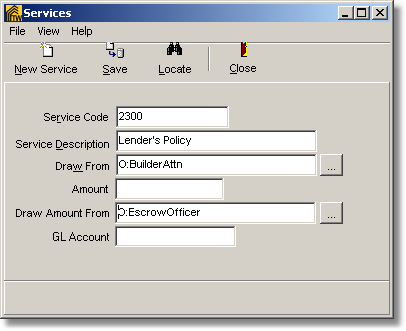
NOTE: You may also locate previous saved Services by selecting the Locate button listed at the top of the Services Setup Window.