|
Invoices |
  
|
|
Invoices |
|
Getting There
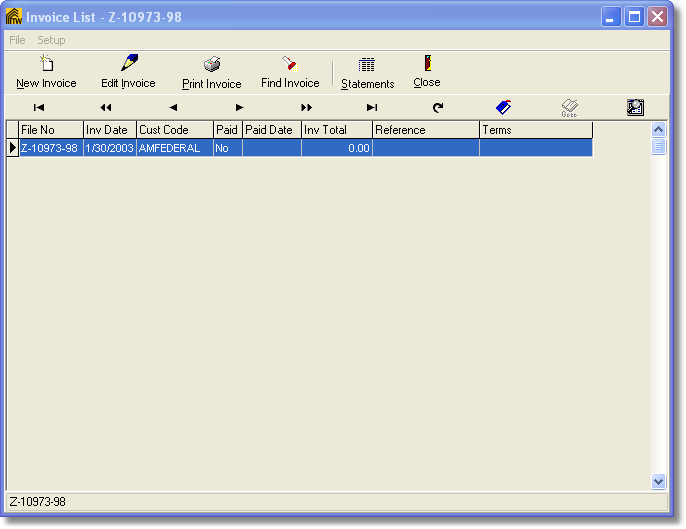
Invoices can be accessed from the main screen by selecting => Apps | Invoice from the menu, clicking on the Invoice button or by using the Ctrl+I shortcut virtually anywhere in the program.
Description
Invoicing will allow you to add new invoices, edit, print and design invoices. Statements can also be ran from the invoice screen. When selecting the invoice button from the main Turbo Title the Invoice list will be shown and you will see all invoices associated with the current file you have selected back on the main Turbo Title screen.
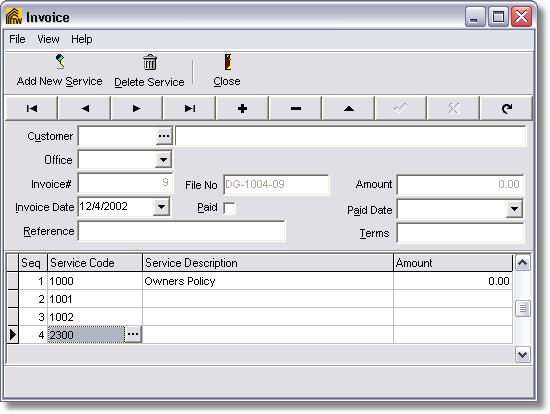
To add a new invoice simply click on the New Inovice button located at the top left. You may now enter in the information for that invoice.
To add a new service simply click on the Add New Service button which allows you to add more services to that invoice. You may wish to change the default services. Default services are the type and number of services that will be applied to a new invoice appon creating that new invoice.
To delete a service, select the service that you wish to be deleted and click on the Delete Service button at the top of the screen.