|
Opening Templates |
  
|
|
Opening Templates |
|
Getting There
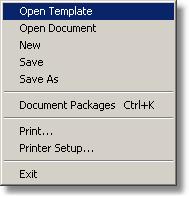
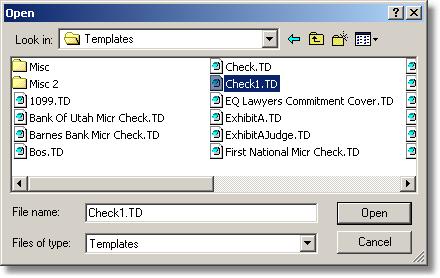
Opening Templates can be accessed from the Doc Prep menu. Select => File | Open Template and choose the document that you wish to work on. The open window should default to your Turbo Title Templates directory where you can select the template you wish to work on.
Description
The Open Template application allows the user to open a template which has been previously created and saved in Document Designer. This is used to merge information into the templates for final printing.
To open a template
1. Click on file in the main menu.
2. Click on Open Template in the File menu.
3. Click on the template file to be opened and then click the Open button. (Files can also be opened by double clicking on the file name in the Open dialog box.)