|
Customer Individuals Setup |
  
|
|
Customer Individuals Setup |
|
Getting There
Customer Individuals Setup can be accessed from the Main menu. Select => Maintenance | Customer Individuals Setup or use the 'ctrl + alt + H' shortcut.
Description
The Customer Individuals Setup allows you to gather and keep track of individual clients sperate from and/or associated with an existing customer.
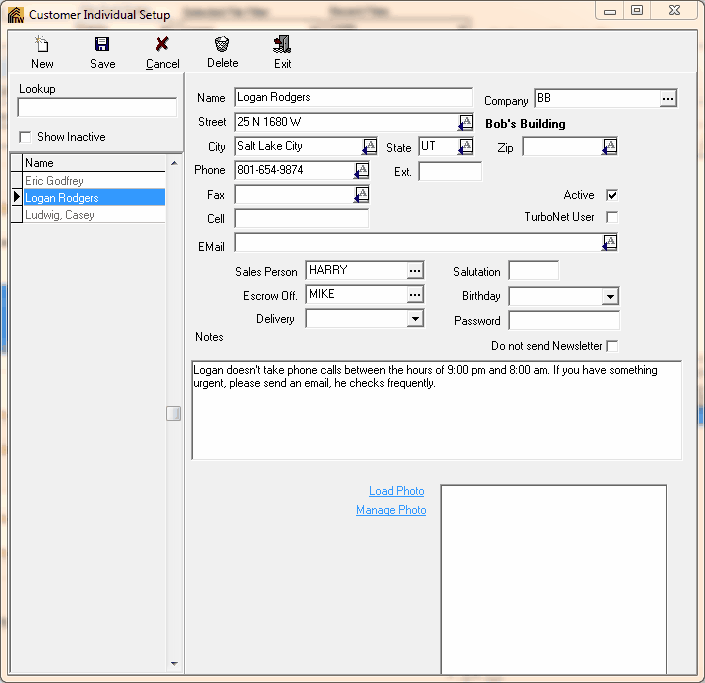
To Setup a New Customer Individual:
1. Choose Customer Individuals Setup from the Maintenance Menu. Ctrl+Alt+H
2. Select New from the Customer Individual Setup dialog box.
3. Enter Customer information.
4. Enter any other necessary information to help identify the customer.
5. Click the Save button to save all changes.
6. To Delete Individual Customers, select the Customer to be deleted then select Delete.