|
Creating a New Bank Deposit |
  
|
|
Creating a New Bank Deposit |
|
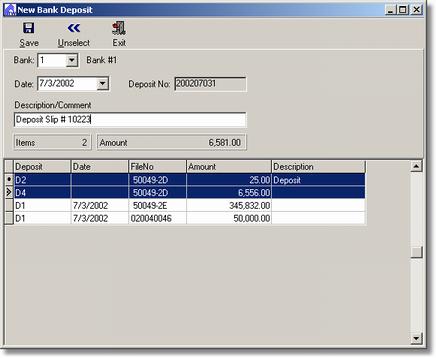
To Create A New Bank Deposit
1. Select the Bank.
2. Select the Date.
NOTE: The Deposit No is automatically created by the system. It is a combination of the date and the numerical sequence of how many deposits have been made to the bank on the currently selected date. Example: The first deposit made on a bank on July 3, 2002 would be 200207031, the format is year, month, day, deposit number.
3. Enter a comment if desired.
4. Select the items to go on the deposit by hold the Control Key (ctrl) and clicking the desired line. To deselect a line simple ctrl-click that line again or use the Unselect button. Items also may be selected by pressing the space bar when the line is active.
5. Press the Save button.