|
Setting Flags |
  
|
|
Setting Flags |
|
Getting There
The flags are found on the Setout tab in Turbo Policy.
Description
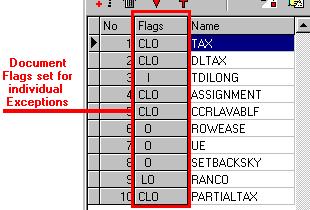
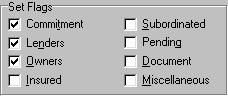
Flags are used in the Setout portion of Turbo Policy to indicate for which commitments, policies, etc., verbage (exceptions, requirements, vesting's, etc.) will be printed. For example if a certain line of verbage is to be shown on the lenders policy but not the owners policy, the checkbox next to "Lenders" would need to be checked and the one for "Owners" checked off. Letters will show up next to the verbage name in the flags column for all boxes selected indicating which policies the verbage will be linked to. Different boxes may be selected for different lines of verbage. To remove a flag from a line, simply select the line and then click the checkbox(es) corresponding to the flag(s) you want to remove.