|
Premium Calculator |
  
|
|
Premium Calculator |
|
Getting There
The Premium Calculator can be accessed from the main screen by selecting => Apps | Premium Calculator or by using the Ctrl+4 shortcut from virtually anywhere in the program .
Description
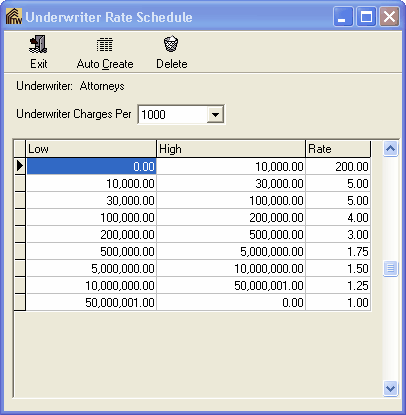
The Premium Calculator is based off of the Underwriter Rate Schedule. The Rate Schedule can be accessed by selecting File | Underwriter Setup from the Turbo Policy screen then View | Rate Schedule. For each underwriter in the system an appropriate rate schedule will need to be created for the Premium Calculator to function correctly.