|
Order Setup |
  
|
|
Order Setup |
|
Getting There
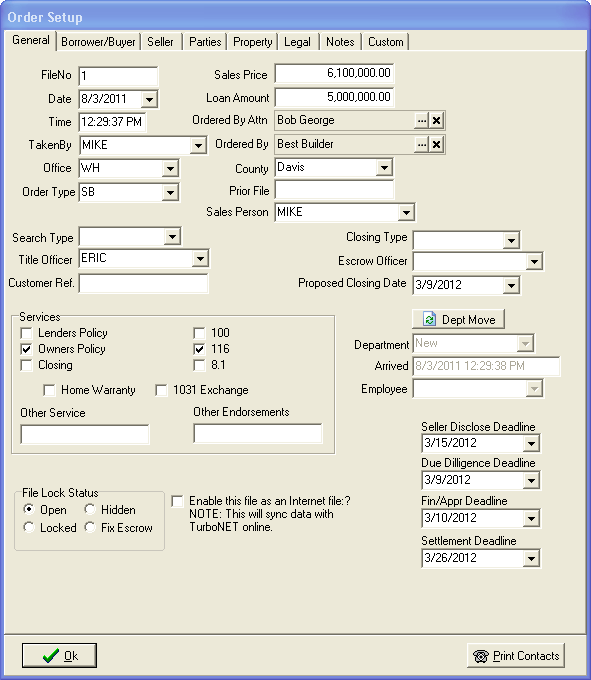
The Order Entry or Order Setup screen is displayed automatically when a new order is started. This screen may be also accessed from the main screen as well as Turbo Policy and Turbo Escrow by selecting => File | Edit Order from the menu or by using the F3 shortcut virtually anywhere in the program.
Description
The Order Setup dialog can be accessed either by selecting the Edit Order button where available on the various Turbo Title for Windows Applications, by choosing the Edit Order option from the File menu or by double-clicking a highlighted file on the Order Details / Order Quicklist list. The Order Setup function allows the user to edit file's information. Information entered in the Order Setup, along with other information, will be used when merging information to documents and/or templates in Document Designer / Document Prep and in other applications such as Turbo Escrow and Turbo Policy.