|
Export/Import File |
  
|
|
Export/Import File |
|
Getting There
Export/Import can be accessed from the Main menu. Select => File | Export/Import File or by using the Ctrl+Alt+E shortcut virtually anywhere in the program.
Description
Import/Export will allow you to export the current selected file and either E-mail it to another location or export it to disk to be used for importing into another Turbo Title computer.
Export File

To Export a File
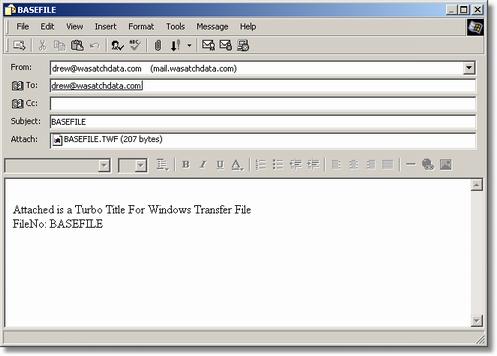
If you are Emailing the file you will need to enter in the email address where you want the file sent and click the Export BASEFILE button, your default email program will open and all you will need to do is select send.
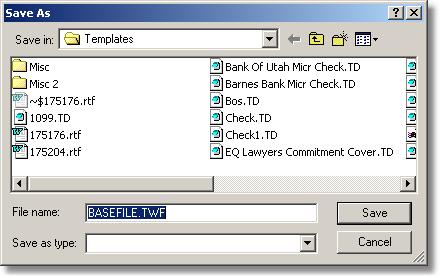
If you are going to Export your file to disk then simply click the Export BASEFILE button with the line above empty and you will be given the option to choose where you want to save that file.
Mass Export
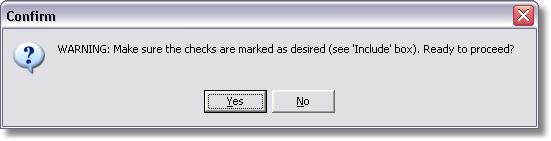
Mass export will export all files within Turbo Title based off of a Order Filter that you can setup prior to exporting. This can come in useful when setting up a new office or workstation that is not going to be sharing the data over a server. The file will be saved on the computers hard drive in the following path:
C:\Program Files\Turbo Title For Windows\Export\Basefile.twf

Import File
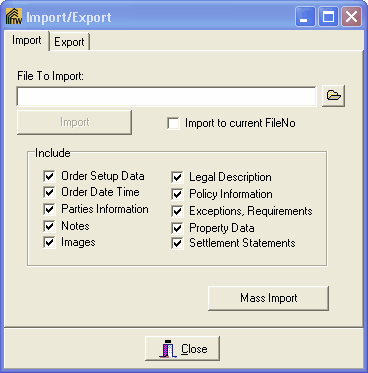
Importing a file will allow you to take any file from Turbo Title that was previously Exported and import it into your system.
To Import a File
To import a file you need to locate the Exported file on either disk or your hard drive. Once the file is selected you have the options to Import to current FileNo. This option will overwrite the file currently on your system if one exists with that same file number. You also have the following options to include. Order Date Time, Parties Information, Notes, Images, Legal Description, Policy Information, Exceptions-Requirements, Property Data and Settlement Statements.
Once you have made your selections simply click on the Import button.
Mass Import
Mass Import will import the selected exported file into Turbo Title for Windows. Note that this option will import ALL files. Matching Files will be Overwritten. Be careful and make sure that you select the files you want imported in the Include screen before continuing on to the import.