|
Exception List |
  
|
|
Exception List |
|
Getting There
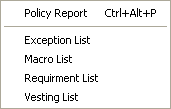
Exception List can be accessed from the Main menu. Click on the Turbo Policy button, then select => Reports | Exception List
Description
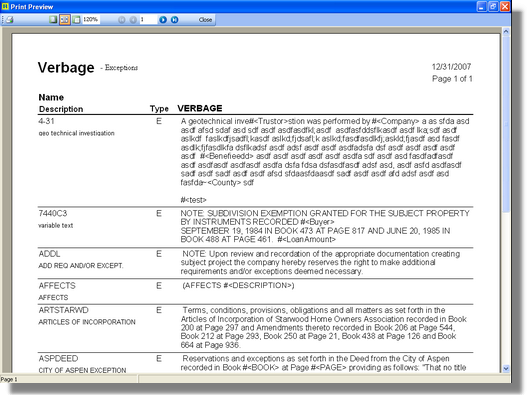
An exception list will print out a report of all exceptions that have been entered into Turbo Title from the Turbo Policy Screen. This can come in useful when you start to get a lot of exceptions. You can print this out and keep it at your desk for reference.