|
Editing Footers |
  
|
|
Editing Footers |
|
Getting There
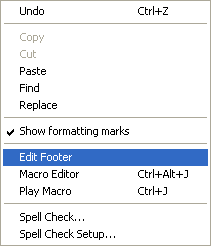
Edit Footer is accessed from within Doc Designer by selecting Edit | Edit Footer from the file menu.
Description
Footers may be created for your documents by choosing Edit Footer from the Edit menu in Document Designer. When selected, the Edit Footer application will appear to be a new document. enter the text and/or images that you wish to have displayed as the footer on the page and arrange the style as desired. (ie, bold, italics, centered, font, etc.) Once your footer has been designed. Select Edit Footer from the Edit menu once again to return to your document.