|
Bank Setup |
  
|
|
Bank Setup |
|
Getting There
Bank Setup can be accessed from the Turbo Escrow menu by selecting => Accounting | Bank Setup.
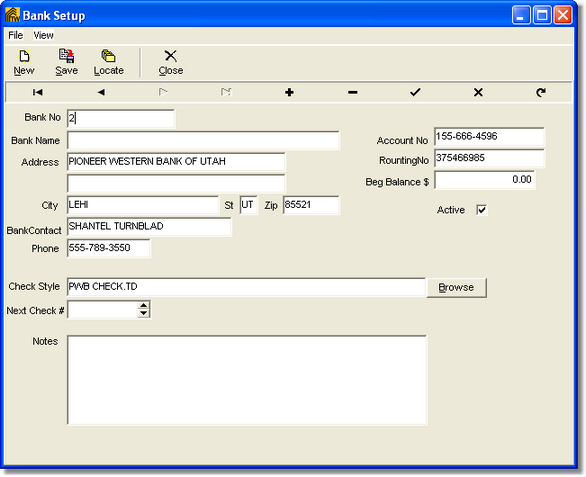
Description
The Bank Setup function of Turbo Escrow gives the user the capability of entering and editing bank and bank account information for the purpose of writing checks, making deposits etc. Multiple banks may be added to the list of banks in the setup. When setting up a bank, it is necessary to assign a bank number to the bank. This bank number is used as a reference number in the Checks and other applications. Any number and/or numbering system can be used when assigning bank numbers to banks but normally a simple sequential numbering system (1, 2, 3, 4, 5) is the easiest to use. A list of all banks into the system can be obtained by printing the Bank List.