TWMailList (Customer Mailing Labels)
The Customer Mailing Labels program is not installed with Turbo Title but is available upon request from Wasatch Data Inc. To obtain this program please call us. (801)-731-3230.
Description
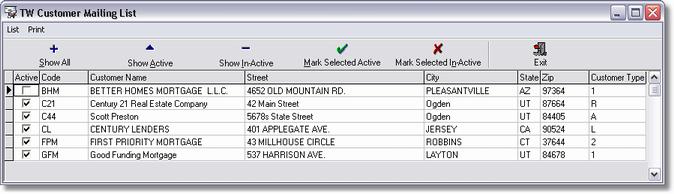
The customer mailing labels program will allow you to print off mailing labels for your current customers that are in Turbo Title. You have the option of listing and or printing your active or non active customers.
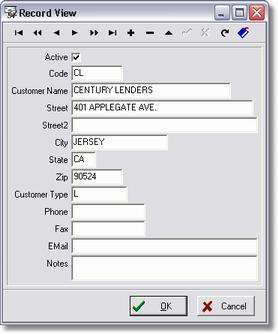
Within this screen you can edit customer information by highlighting the customer you wish to edit and selecting from the menu List | Edit Customer Info or the shortcut Ctrl+E.
Statistics
Getting There
Statistics can be accessed from the Windows Start Menu, Programs, Turbo Title for Windows | TW Statistics.
Description
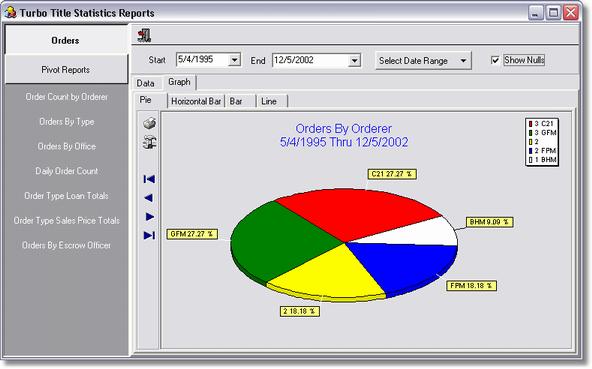
Turbo Title Statistics will all you to view and print off statistics based on Orders and Pivot Reports.
To view orders simply select your date range that you would like to view and click on the Orders button at the top left of the screen and select the type of Order to view. The same can be done to view Pivot Reports. You may view the graphs as a Pie, Horizontal Bar, Bar or Line. You can also view as Data by selecting the Data tab next to Graph.
Reindex
Getting There
Reindexing can be accessed from the Windows Start Menu, Programs, Turbo Title for Windows | TWReindex.
Description
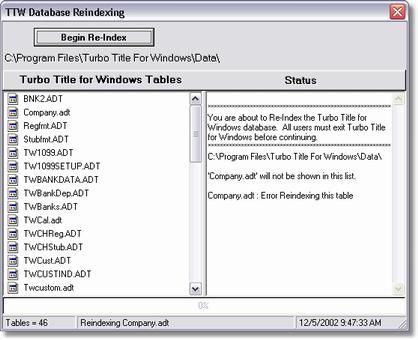
TTW Database Reindexing will allow you to reindex your Turbo Title database. This would be used if you are getting index errors within the Turbo Title Program.
NOTE: This should only be used while speaking with technical support from Wasatch Data Inc. (801)-825-4010.
ARC
Getting There
ARC32 can be accessed from the Windows Start Menu, Programs, Turbo Title for Windows | ARC32.
NOTE: We highly recommend calling Wasatch Data Inc. before using the Advantage Data Architect program. (801)-731-3230.
Description
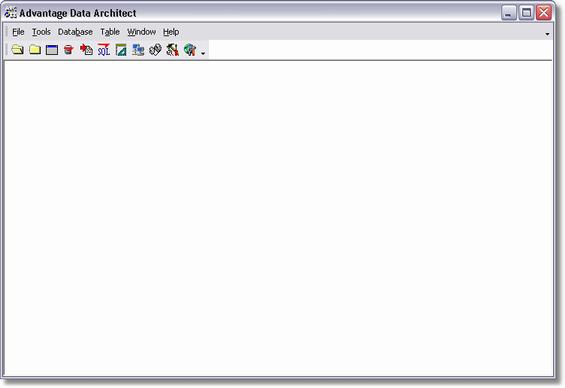
ARC is a program that will allow you open up Turbo Title's data files and view their content to make necessary changes if needed. It can also be used as a network trouble shooting tool for connectivity. For example: If you are setting up a new work station and are not able to run Turbo Title and connect to the database then you could run ARC32 to see if you are able to connect to a specific data file. This tool can be very useful in this situation.
NOTE: It is recommended that all users be exited out of Turbo Title while using ARC32. If a user is in Turbo Title and you try and access that data file and make changes it could corrupt the file.
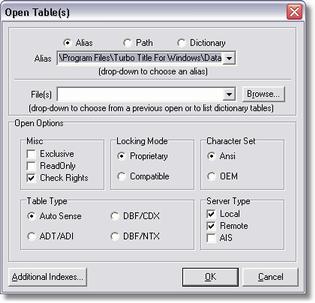
To open a Turbo Title table you need to:
| 1. | Select your Alias. In most cases it will be adsTW. |
| 2. | Choose your server type. You want to select Local or Remote if you are connecting through a work station. |
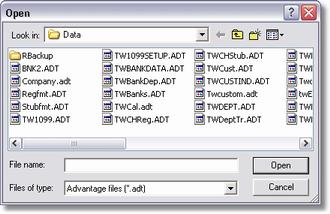
| 3. | Choose what data file you wish to open. You need to click the Browse button and locate the Turbo Title data Directory. Data files are going to be associated with a *.ADT extension. |
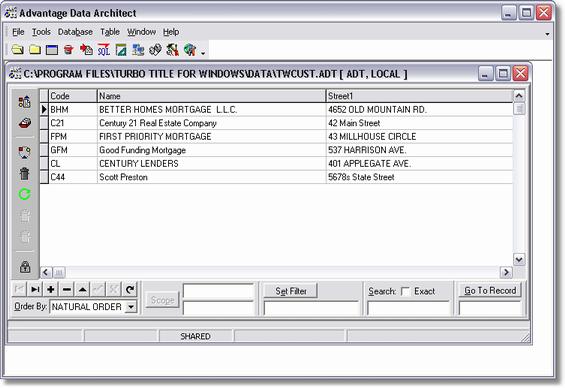
4. Once you have opened the selected data file you will get a screen similar to this shown below. From here you can modify the table to fix or correct the selected field. Once you have made changes you need to make sure you save those changes.
TWUpdate
Getting There
TW Update is a internal program within Turbo Title for Windows.
Description
This program is called when you have either downloaded a new TW.exe from www.turbotitle.com or the server has been previously updated and you are upgrading a work station to the most current version.
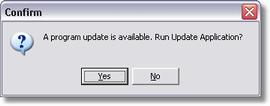
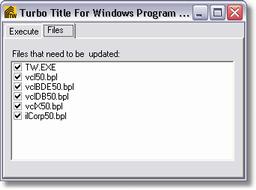
When upgrading it is recommended that you close all other programs and windows before continuing. You will be asked if you want to run the Application, you can choose Yes or No, yes will take you to the next step which is to Execute the update or Cancel. There is also another tab where you can choose what files are updated. In most cases you will want all files selected when updating to the most current version. If you have any questions at this point don't continue with the update and give us a call. (801)-731-3230.

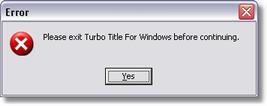
When the Execute Update is pressed it will start upgrading Turbo Title for Windows or you will get an error like below stating that you must exit Turbo Title for Windows. Once the update completes you can run Turbo Title for Windows and run like normal with the new version.
TWPrefs
Getting There
TW Preferences can be accessed from the Main menu. Select => Maintenance | Preferences
You can also access TWPrefs from the Windows Start Menu, Programs, Turbo Title for Windows | TWPrefs.
Description
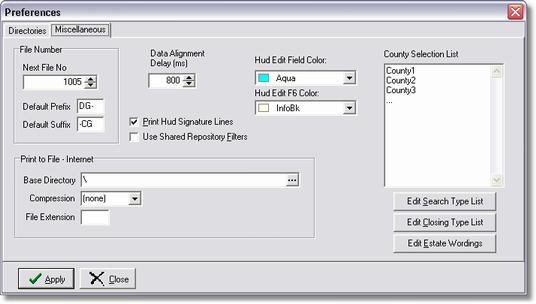
Within the Miscellaneous tab of Preferences you have the options of selecting your Next File Number that you would like your orders to start with, change Data Alignment Delay time, Hud Edit Field Color, County Selection List and Print to File - Internet.
Selecting a new number in the Next File No. field will affect the next order that you enter into Turbo Title. For example, if you are currently on file number 500 but you want the orders to start with file number 1000 and continue on then you would simply enter 1000 into the Next File No. field and click apply.
Data Alignment will allow you to change the time that it takes to display an order when it has been selected. This is not changed in most cases but if running from a remote location it may be necessary to modify those values.
Hud Edit Field Color is the default color that will be displayed with in the Hud Fields within Turbo Escrow.
The County Selection List will allow you to add multiple county's. Note: When adding more county's, you may only enter one county per line.
Print to File - Internet will allow you to send orders to the Online version of Turbo Title if setup to do so.
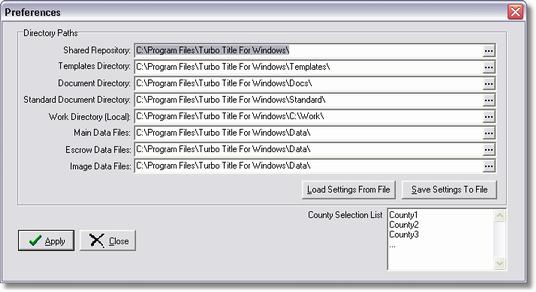
On the Directories tab you can change or modify the location of Turbo Title files. By default the entries shown below are setup when Turbo Title is installed.
NOTE: If you are changing these entries and need to make the same changes to other work stations then you have the option to Save the Settings to File and Load Settings From File onto a new computer. This will save you some time.
Adtfix
Getting There
Adtfix is not a program that is installed with Turbo Title. This program would be emailed to you from a technical support representative at Wasatch Data Inc.
Description
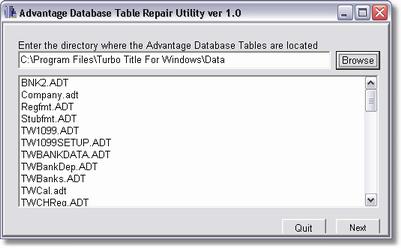
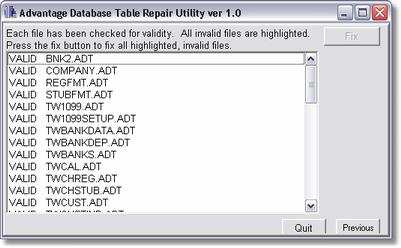
Adtfix is very similar to TTWReindex and will allow you to reindex your Turbo Title database. This would be used if you are getting index errors within the Turbo Title Program and the TTW Reindexing utility wasn't able to correct it.
This utility will check for incorrect file sizes and incorrect record counts.
NOTE: This should only be used while speaking with technical support from Wasatch Data Inc. (801)-731-3230.