|
Set Tran Type To Escrow |
  
|
|
Set Tran Type To Escrow |
|
Getting There
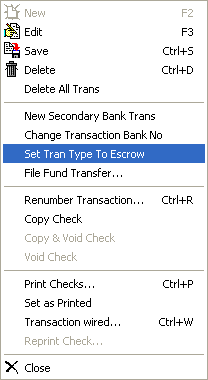
Set Tran Type To Escrow can be accessed from the Check Entry screen by selecting Transaction | Set Tran Type To Escrow.
Description
This option allows you to take a check that has been created and send it to Escrow to be held. Simply select the check you wish to send to Escrow and from the menu bar select Transaction | Set Tran Type To Escrow. If you click on the Escrow tab now you will see your check.
NOTE: After a check has been voided or printed you will not be able to send it to Escrow.