|
Settlement Statements |
  
|
|
Settlement Statements |
|
Getting There
Settlement Statements are selected by either choosing the Turbo Escrow option from Apps Menu, Clicking the Turbo Escrow button on the Main Screen, or by using the Ctrl+E shortcut.
Description
Selecting Setup from the HUD 1 Entry screen will let the user enter and edit critical information pertaining to Escrows and the HUD Settlement Statement Form. The fields on the Setup page can be selected by either clicking on the field or by using the tab key to move from one field to the next.

NOTE: The Report to IRS 1099? check box above will report the selected file to a 1099 for when tax season comes around. For more 1099 information click here.
When Page1 is selected from the HUD 1 Entry screen it allows the user to enter and edit information pertaining to page 1 of the HUD Settlement Statement form. The fields on page 1 of the HUD Settlement Statement form can be selected in the same manner as the fields on the Setup form. Sections of the form can be accessed by using the jump buttons located at the top of the form. (100, 400, 200, etc.) The Information Located at the top of page 1 on the final printed HUD Settlement Statement form is not shown on this screen however it will be entered and printed on the final form using the information from the Order Setup dialog box.

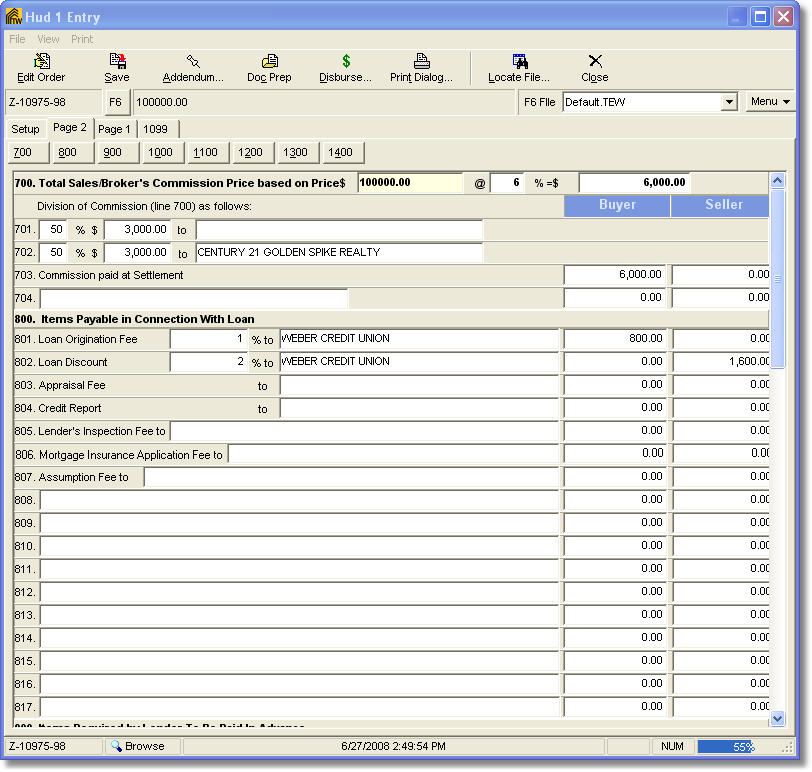
Selecting Page 2 from the HUD 1 Entry screen allows the user to enter and edit information pertaining to page 2 of the HUD Settlement Statement form. The fields on this page can be accessed in the same manner as for Page 1 and the Setup page. Totals for page 1 and for page 2 will be automatically calculated and can not be altered in the total field.